ATS-friendly CV templates (free)
Many employers use applicant tracking systems (ATS) to store and search CVs. An ATS-friendly CV is one that software can read reliably: simple structure, standard headings and real text instead of decoration. CVAIGEN includes ATS-friendly templates you can fill in online and download without a watermark or an account.
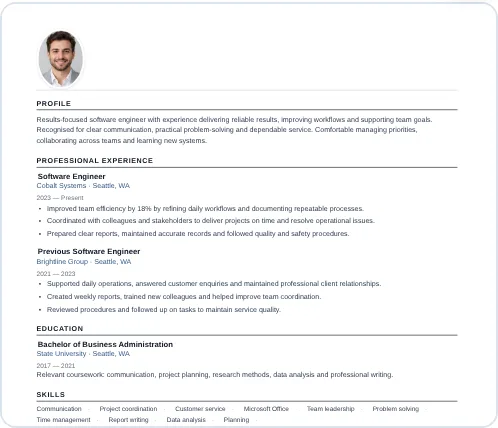
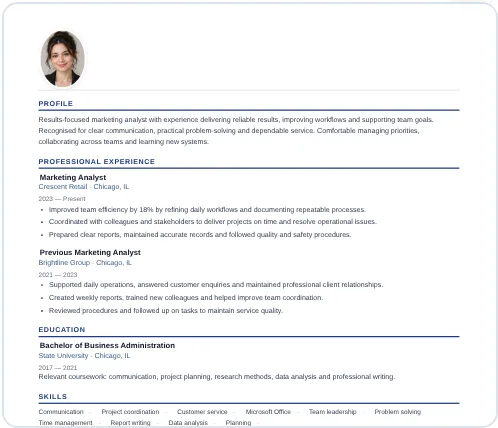
Choose this style in the builder
What makes a CV ATS-friendly?
- One main column. Text that flows top to bottom is read in the right order. Complex side columns and text boxes can be scrambled.
- Standard section names. “Experience”, “Education” and “Skills” are recognised by almost every system. Creative headings such as “My journey” are not.
- Real text, not pictures. Words inside images or icons cannot be read. Keep your contact details, job titles and skills as text.
- Simple formatting. Regular fonts, clear bullet points and consistent dates work better than tables, charts and skill bars.
- A text-based PDF or Word file. Unless the employer asks for a specific format, a PDF exported from the builder keeps your text selectable.
How to use the template
- Open the builder and choose one of the templates in the ATS-friendly category.
- Fill in your name, job title, contact details and a short profile.
- Add your experience from most recent to oldest, with two to four bullet points each.
- List skills that appear in the job advert and that you genuinely have.
- Check the preview, then download your CV as PDF or Word.
Your CV is saved in your own browser while you work, so there is nothing to sign up for.
Tips to get more from an ATS-friendly CV
- Mirror the job advert honestly. If the advert says “customer support” and you did customer support, use that phrase rather than a vague alternative.
- Spell out abbreviations once. Write “Search Engine Optimisation (SEO)” the first time.
- Use a simple file name such as First-Last-CV.pdf.
- Skip the photo unless it is expected in your country or industry. Many employers prefer not to receive one.
- Do not hide keywords in white text. Recruiters and systems penalise this, and it does not help a human reader.
No template can guarantee that a CV passes every system, because each employer configures its own. What you can do is remove obvious reading problems and make the content clear.
Frequently asked questions
Are ATS-friendly CVs ugly?
No. A clean layout with good spacing, a clear hierarchy and one accent colour looks professional and is easy for both people and software to read.
Can I download an ATS-friendly CV as Word?
Yes. CVAIGEN exports PDF, Word, PNG and JPG. PDF is usually the safest choice; use Word if the employer asks for it.
Is the ATS-friendly template really free?
Yes. There is no watermark, no sign-up and no payment step for the CV and cover-letter builder.
Ready to build your CV?
Choose a template, fill it in and download it free. No sign-up, no watermark.