Simple and minimal CV templates
A simple CV puts your content first. Plain typography, generous spacing and a clear order let a recruiter find what they need in seconds. The simple and minimal templates in CVAIGEN suit most jobs, from admin and retail to engineering and teaching.
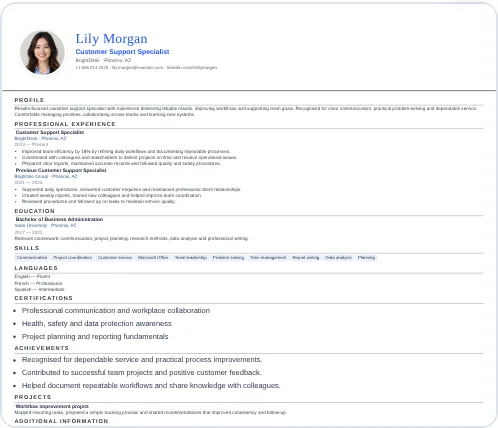
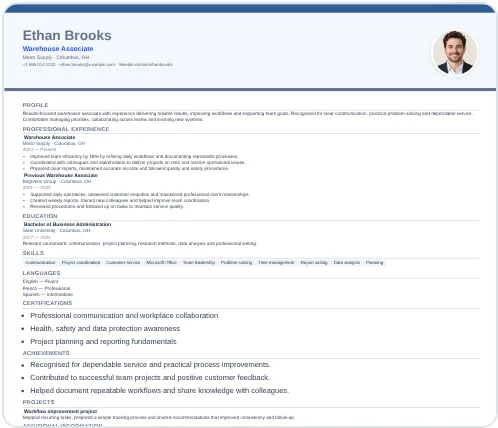
Choose this style in the builder
When a simple CV is the right choice
- You apply in many different industries and want one design that fits all.
- The employer reads CVs quickly or through an online system.
- You have solid experience and want it to speak for itself.
- You prefer a calm layout over colour and graphics.
How to make a simple CV look polished
- Pick one font family and use size and weight to create hierarchy.
- Limit colour to one accent, or none.
- Align dates and locations consistently.
- Use white space. Short bullet points with space between jobs are easier to scan than dense paragraphs.
- Keep it to one or two pages. Two pages are fine when you have more than about ten years of relevant experience.
What to write in each section
Profile. Two to three sentences: who you are, your strongest skills and the job you want.
Experience. For each role, write what you were responsible for and what changed because of your work. Start bullet points with action verbs: managed, organised, reduced, trained, improved.
Education and training. Qualifications, dates and certifications that matter for the job.
Skills. A short, honest list that matches the advert.
Frequently asked questions
Is a simple CV too plain?
Not if the content is strong and the spacing is good. Recruiters spend seconds on a first read, so clarity beats decoration.
Can I change the colours or order of sections?
Yes. You can reorder sections in the builder and choose between several minimal layouts.
Does a simple CV work with ATS?
Single-column layouts with standard headings are generally easy for ATS software to read, although no design can guarantee a result.
Ready to build your CV?
Choose a template, fill it in and download it free. No sign-up, no watermark.